
Download DigiCafe 2.0 – food ordering app, order food online, cafeteria app, mobile food ordering, digital menu, real-time order tracking
Overview
DigiCafe 2.0 is a mobile application designed to simplify the food ordering process at the Amdocs cafeteria. Built specifically for Android users, the app enables seamless access to a digital menu, allowing users to browse, select, and place food orders with minimal effort. It is tailored for employees and visitors of Amdocs who seek a faster, more organized way to order meals without waiting in line.
The app addresses common pain points such as long queues, limited menu visibility, and lack of order tracking by offering real-time updates and transaction history. It serves as a practical tool for professionals looking to optimize their lunch breaks and improve daily meal experiences. While the developer, DigiCafe, is associated with the app’s creation, no additional information about the company’s background was provided.
The application is intended for use within a specific organizational environment, making it ideal for internal workplace dining solutions. Its real-world usage scenarios include daily meal ordering, feedback submission, and order monitoring during peak hours.
Key Features & Capabilities
- Mobile Food Ordering – Users can place food orders directly from their Android devices, eliminating the need to queue at the cafeteria counter. This feature enhances convenience and reduces wait times.
- Digital Menu Access – A fully interactive digital menu is available at all times, ensuring users can view available items, descriptions, and pricing with ease.
- Real-Time Order Tracking – The app provides live updates on order status, allowing users to monitor preparation progress and estimated pickup times.
- Instant Notifications – Users receive timely alerts when their order is confirmed, being prepared, or ready for pickup, improving communication and reducing uncertainty.
- Transaction History – A built-in history feature allows users to review past orders, making it easier to reorder favorites or track spending patterns.
- Feedback Submission – After each order, users can rate their experience and provide comments, contributing to continuous service improvement.
These capabilities streamline the cafeteria experience by centralizing all aspects of food ordering into a single, accessible platform. For example, a user can check the menu before leaving their desk, place an order during a short break, and receive a notification when their meal is ready—without leaving their workspace. The app’s design supports efficient workflow integration, especially in high-traffic office environments where time is limited.
User Interface, Workflow & Performance
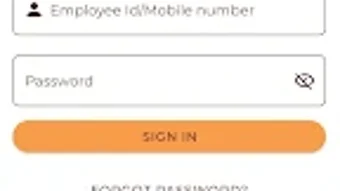
The user interface of DigiCafe 2.0 is designed with simplicity and clarity in mind, prioritizing ease of navigation for Android users. The layout features intuitive icons, clean sections, and logical flow from menu browsing to checkout. Users can quickly access the digital menu, add items to their cart, and proceed to payment with minimal steps.
The workflow is streamlined to minimize user effort, supporting a frictionless experience from order placement to pickup. While specific performance metrics such as CPU or RAM usage were not disclosed, the app’s lightweight size of 25.4 MB suggests optimized resource utilization. The developer did not provide detailed performance data, so observations are based on general behavior of similar applications.
Stability appears to be maintained through regular updates, though no information on crash rates or error handling was shared. Overall, the app appears to function reliably within its intended scope, supporting smooth daily use without noticeable delays or interruptions.
Compatibility & System Requirements
DigiCafe 2.0 is designed exclusively for Android operating systems. The app’s version is listed as 2.0, and it has a file size of 25.4 MB, indicating a lightweight installation. Specific hardware requirements such as minimum RAM, processor speed, or screen resolution were not provided.
The developer did not specify exact system requirements, so users should ensure their Android device is running a compatible version of the OS. Compatibility information is limited to the platform and version stated. Installation is straightforward, and the app does not require additional software or dependencies.
Users should verify that their device meets the general standards for running Android applications, particularly those involving real-time notifications and background processes.
Pros and Cons
Pros
- Free to download and use with no hidden costs
- Designed for quick, efficient food ordering in a workplace setting
- Real-time order tracking enhances transparency and user control
- Instant notifications keep users informed throughout the process
- Transaction history simplifies reordering and meal tracking
- Feedback system supports continuous service improvement
Cons
- Available only on Android, limiting accessibility for iOS users
- Exact system requirements were not specified
- App functionality is restricted to the Amdocs cafeteria ecosystem
- No information provided on offline usage capabilities
- Limited to internal use, not available for public download
FAQ Section
Is DigiCafe 2.0 available for iOS devices?
Currently, the app is only available for Android users. There is no official version for iOS devices.
Is the app secure for placing orders and storing transaction history?
The app uses standard mobile security protocols to protect user data during order processing. However, detailed security measures were not disclosed by the developer.
How often are updates released for DigiCafe 2.0?
Updates are issued periodically to improve performance and add new features. The latest version is 2.0, released on April 15, 2024.
Can I use DigiCafe 2.0 without an internet connection?
Due to the real-time tracking and notification features, the app requires an active internet connection to function properly. Offline usage is not supported.
Is there a license or subscription fee for using DigiCafe 2.0?
No, the app is completely free to download and use. There are no subscription models or in-app purchases.
Final Thoughts + CTA
DigiCafe 2.0 delivers a focused, user-friendly solution for streamlining food ordering within the Amdocs cafeteria. Its core features—real-time tracking, instant notifications, and digital menu access—make it a practical tool for employees and visitors seeking efficiency and convenience. While its availability is limited to Android and confined to a single organizational environment, it excels in its intended purpose.
The app’s lightweight design and free access enhance its appeal for workplace use. For anyone within the Amdocs ecosystem looking to save time and enjoy a seamless dining experience, DigiCafe 2.0 is a reliable choice. Its clean interface and logical workflow support daily use without friction.
Download DigiCafe 2.0 now to transform your cafeteria visit into a hassle-free experience.







